What Are Predefined Templates in Reporting?
Predefined templates are pre-designed layouts containing dummy data. You simply replace the placeholder data with your actual content. These templates are also customizable, allowing you to modify them to suit your specific requirements. Note that these reports were originally created as public reports by other users.
Why Use Predefined Templates?
Advantages:
- Time-Saving: Ideal for when you’re short on time.
- Customizable: Modify templates to match your specific needs.
- Professional Output: Quickly create polished and structured reports.
How to Create a Report Using Predefined Templates
-
Navigate to Reporting Section:
Go to the Reporting section on your platform. -
Click Create New Report:
Select the CREATE NEW REPORT button to view a list of available templates. -
Choose a Template:
Scroll through the list and select a template you like (e.g., Attack Campaign Advisory).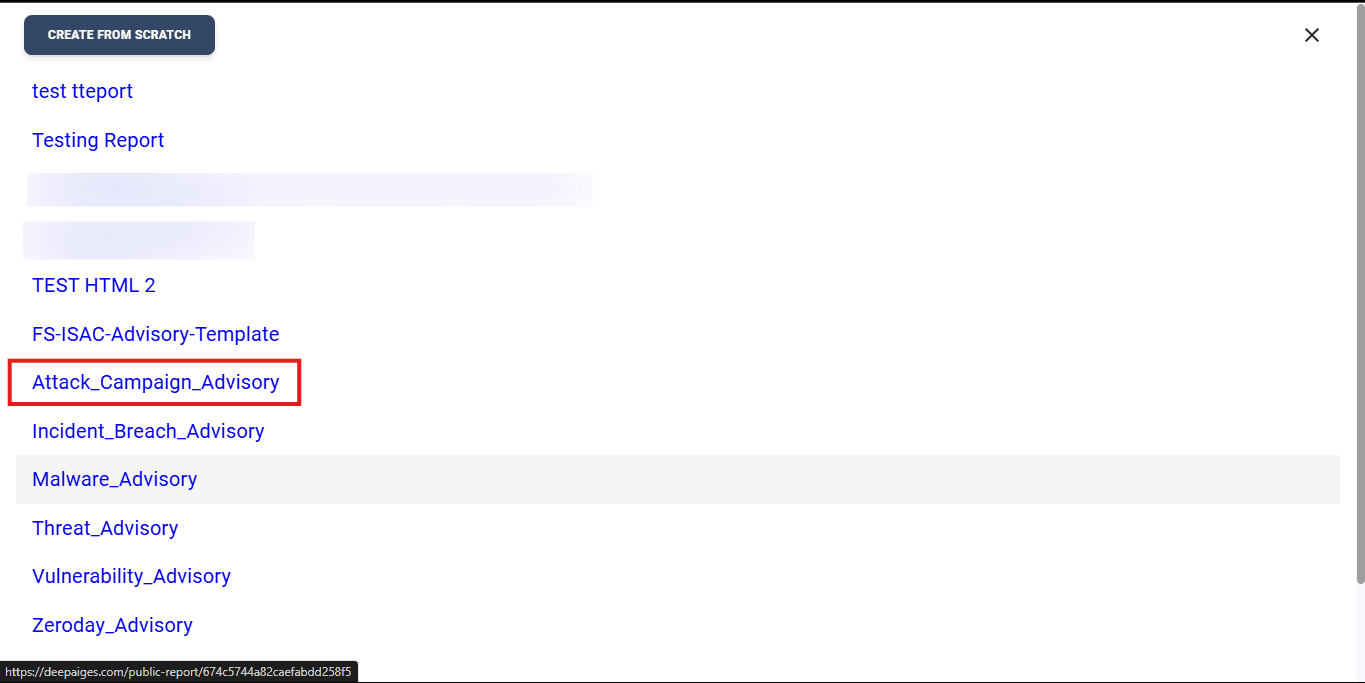
-
Use the Template:
Click on USE AS TEMPLATE to open the template for editing.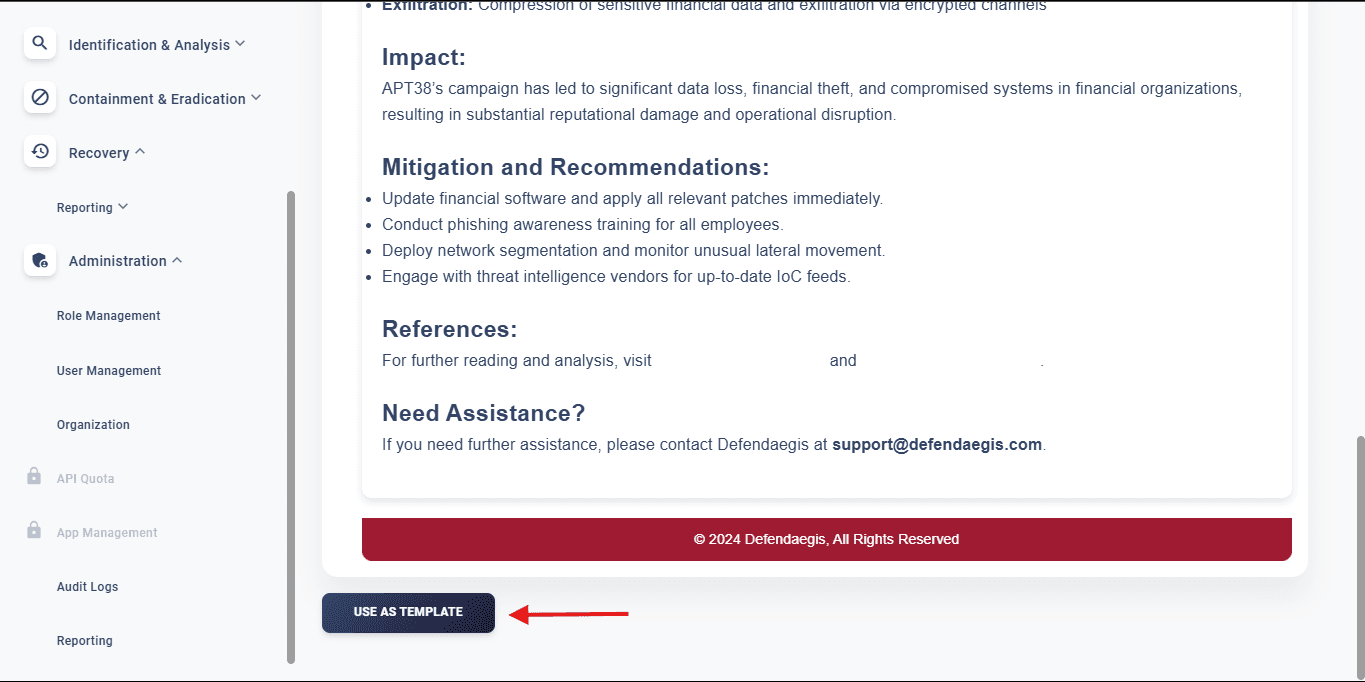
-
Customize as Needed:
Update the content, design, or layout as per your requirements. -
Finalize the Report:
After completing your modifications, click on the CREATE REPORT button to generate your report.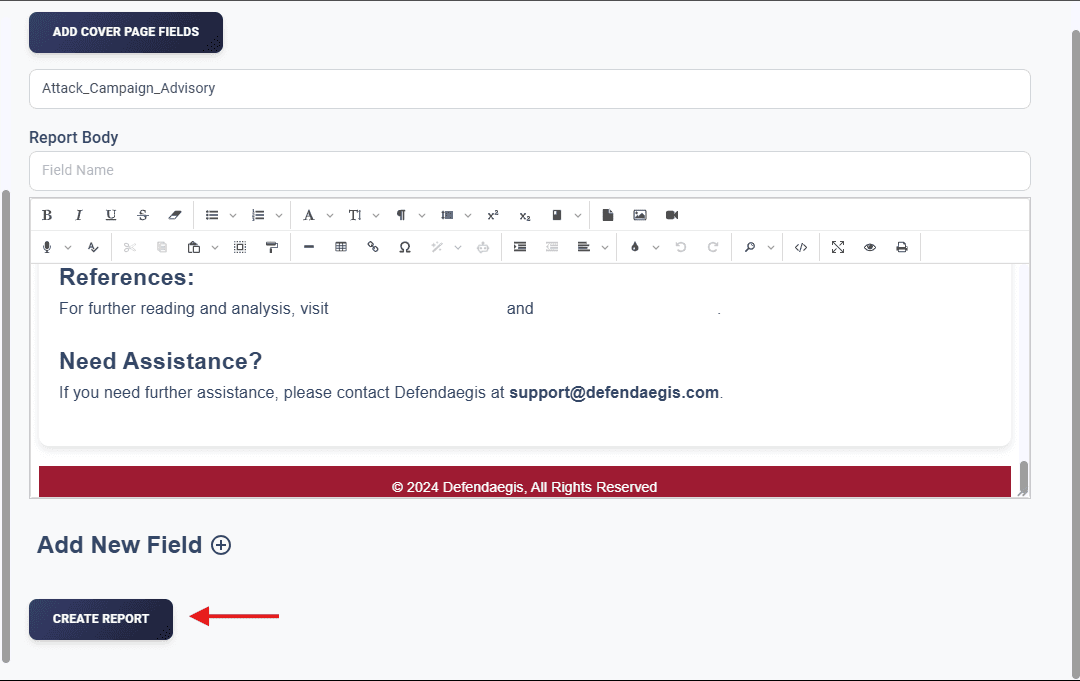
Important Notes
Note:
- Private Access: Reports created using predefined templates are restricted to you. You can’t create them publicly.
- Ensure Accuracy: Verify all modifications before finalizing your report.
FAQs
1. What are predefined templates?
Predefined templates are ready-made layouts made by other users that simplify report creation by including placeholder data.
2. Can I customize these templates?
Yes, you can fully modify them to suit your needs.
3. Are reports created with templates shared publicly?
No, reports made using predefined templates are private and restricted to your account.
4. Why do reports made using predefined templates not have an option to be made public?
Since public reports serve as templates for other users, allowing predefined template reports to be public could create duplicate templates with different names but identical structures.
Tips for Using Predefined Templates
💡 Pro Tips:
- Plan Ahead: Familiarize yourself with available templates to save time.
- Double-Check Content: Ensure all placeholder data is replaced with accurate information.
- Experiment Freely: Customize templates to make them uniquely suited to your reporting style.